How to Schedule in the Portal
1️⃣ LOGIN TO YOUR ACCOUNT
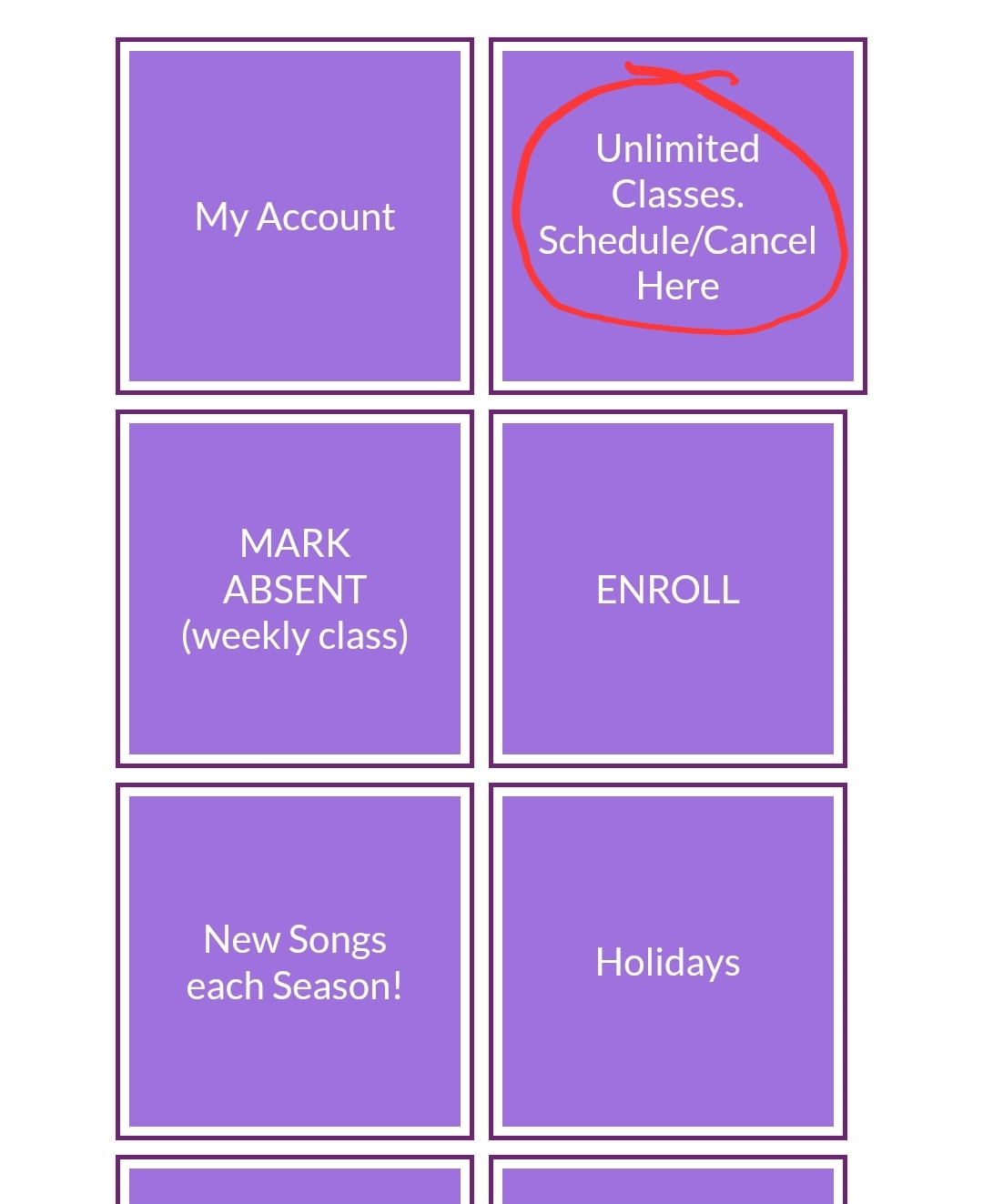
2️⃣ Go to: Unlimited Classes tab.
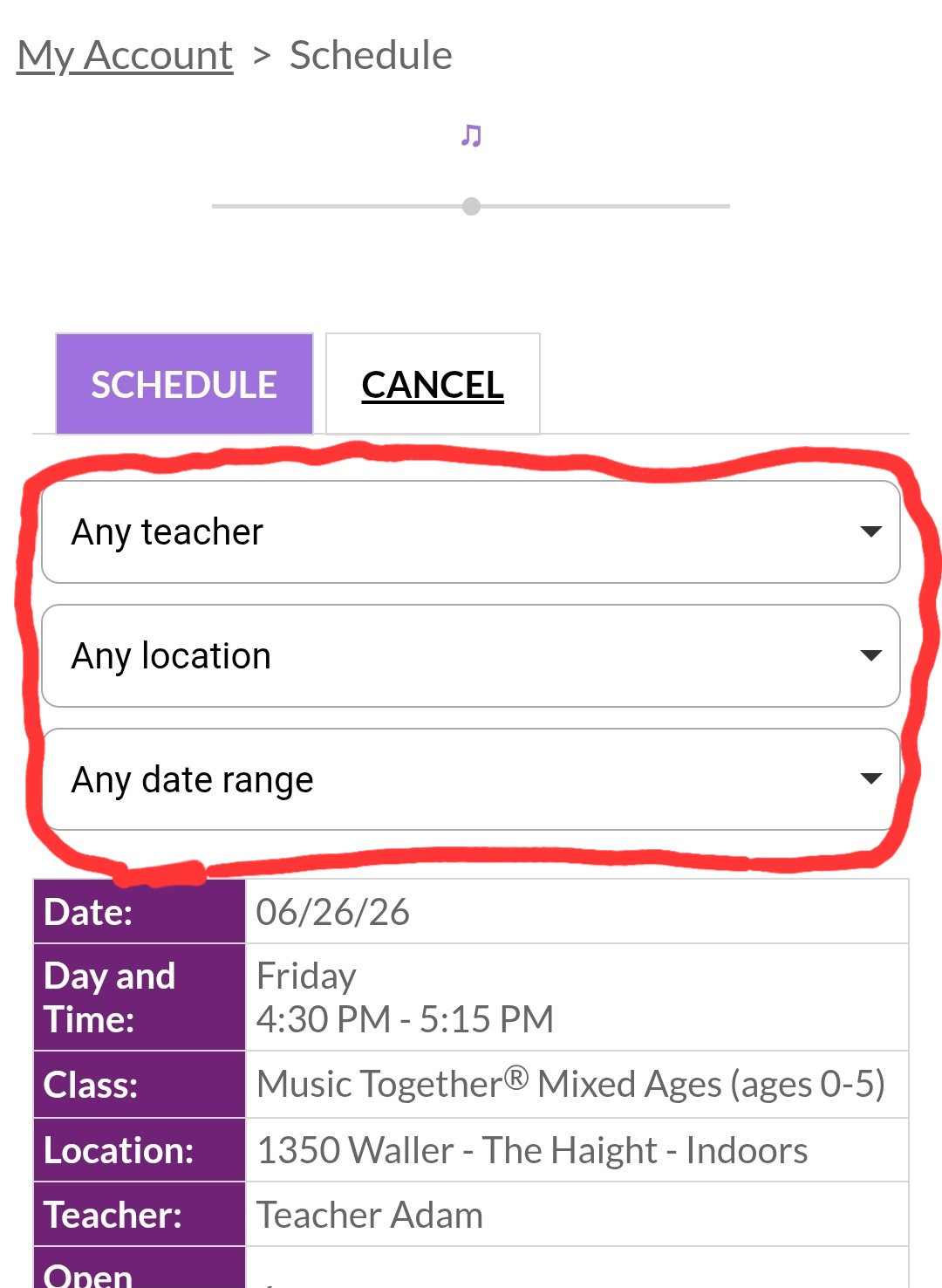
3️⃣ Choose from 3 filtering options: (1) Teacher (2) Location (3) Date range.
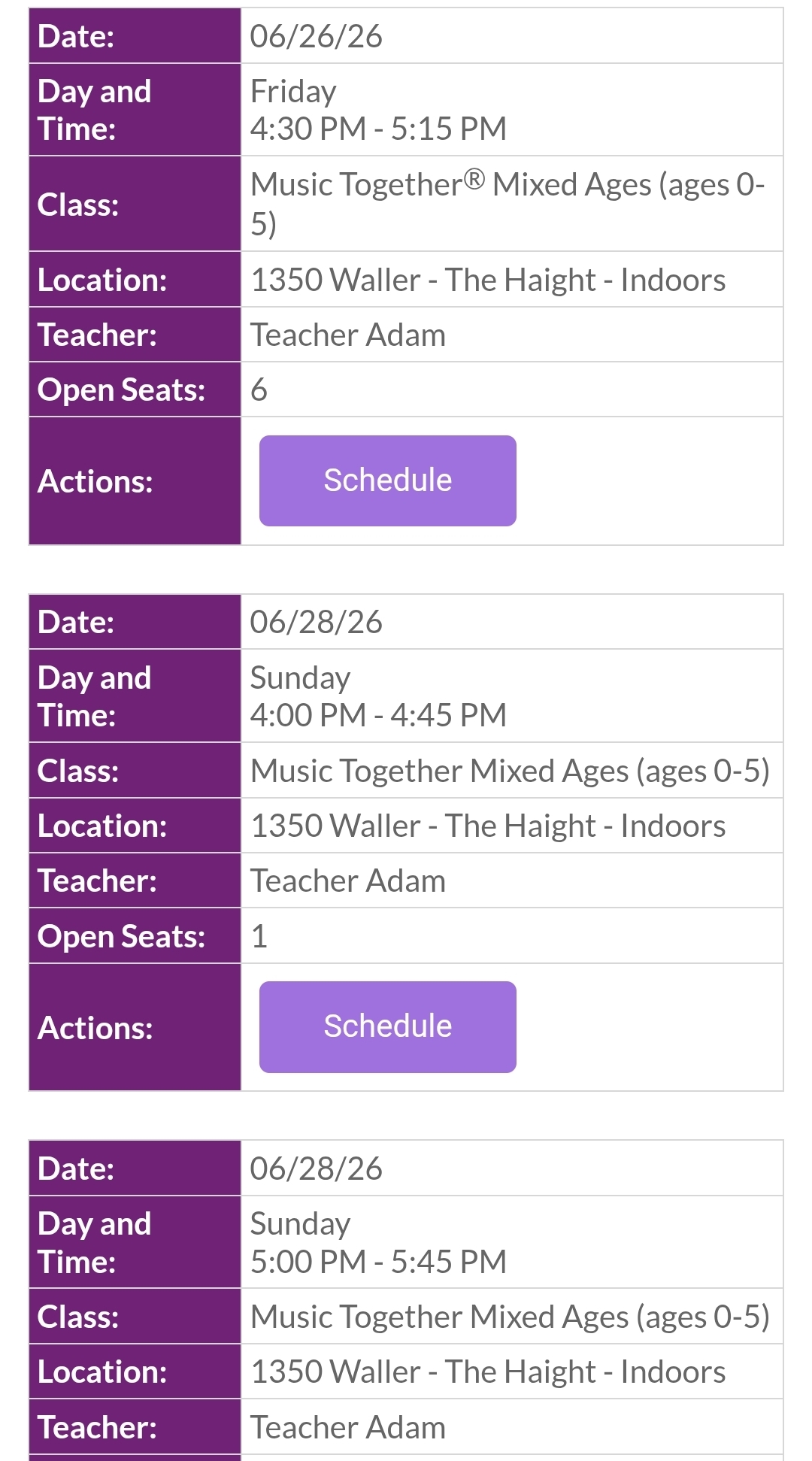
4️⃣ Options will look like the example below. > Click on the "Schedule" button.